kachlan

kachlan (কচলান) — Bangla for squeezing juice from a lime. Just like wringing every last drop from a lime, kachlan squeezes the excess out of your video files.
Fast video compression CLI powered by ffmpeg. Compress a single file or an entire folder with one command.
Download
No manual setup required! kachlan automatically downloads and installs ffmpeg on first run if it’s not already installed.
Desktop App (GUI)
A graphical desktop app with drag-and-drop, progress bar, and quality controls.
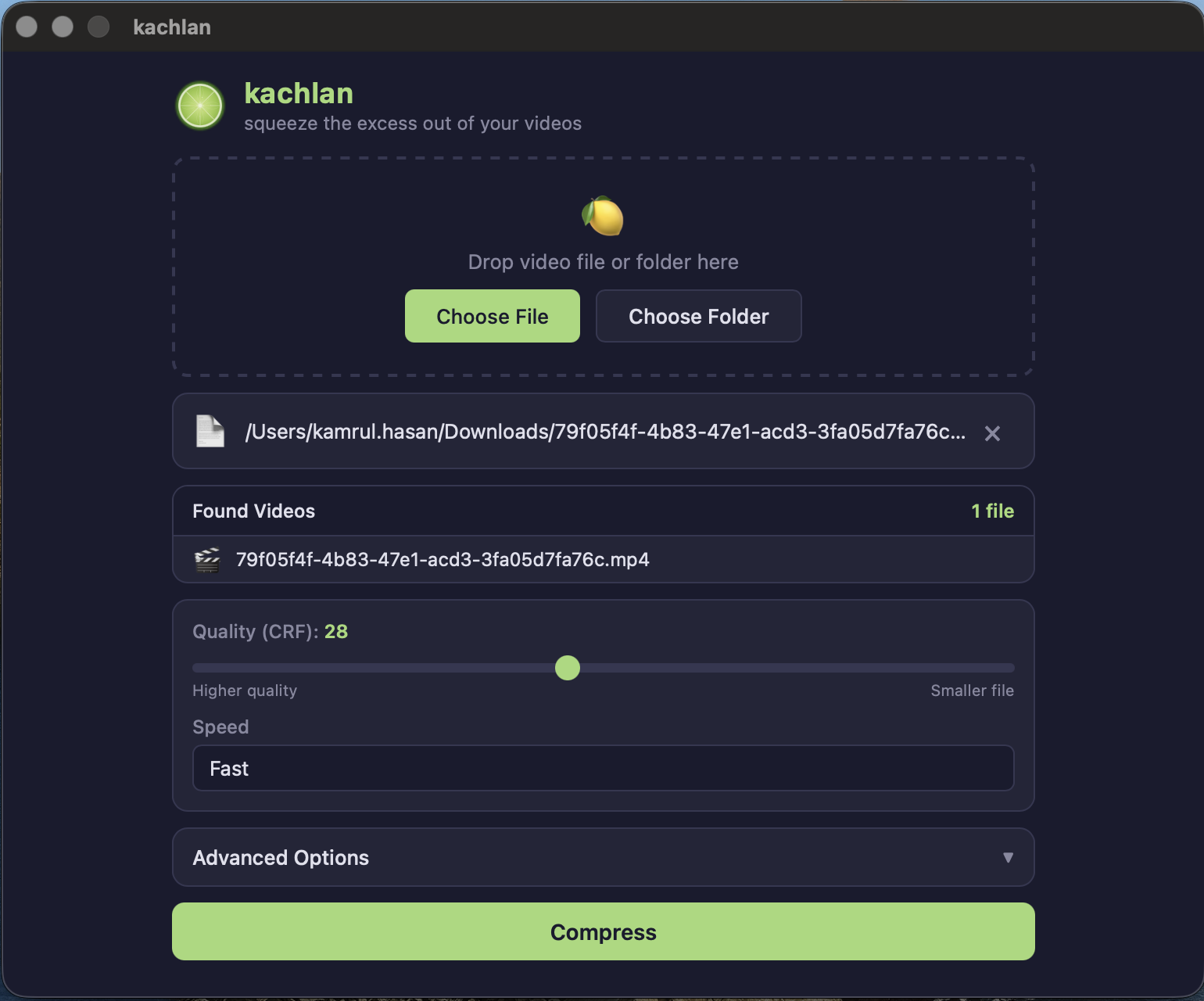
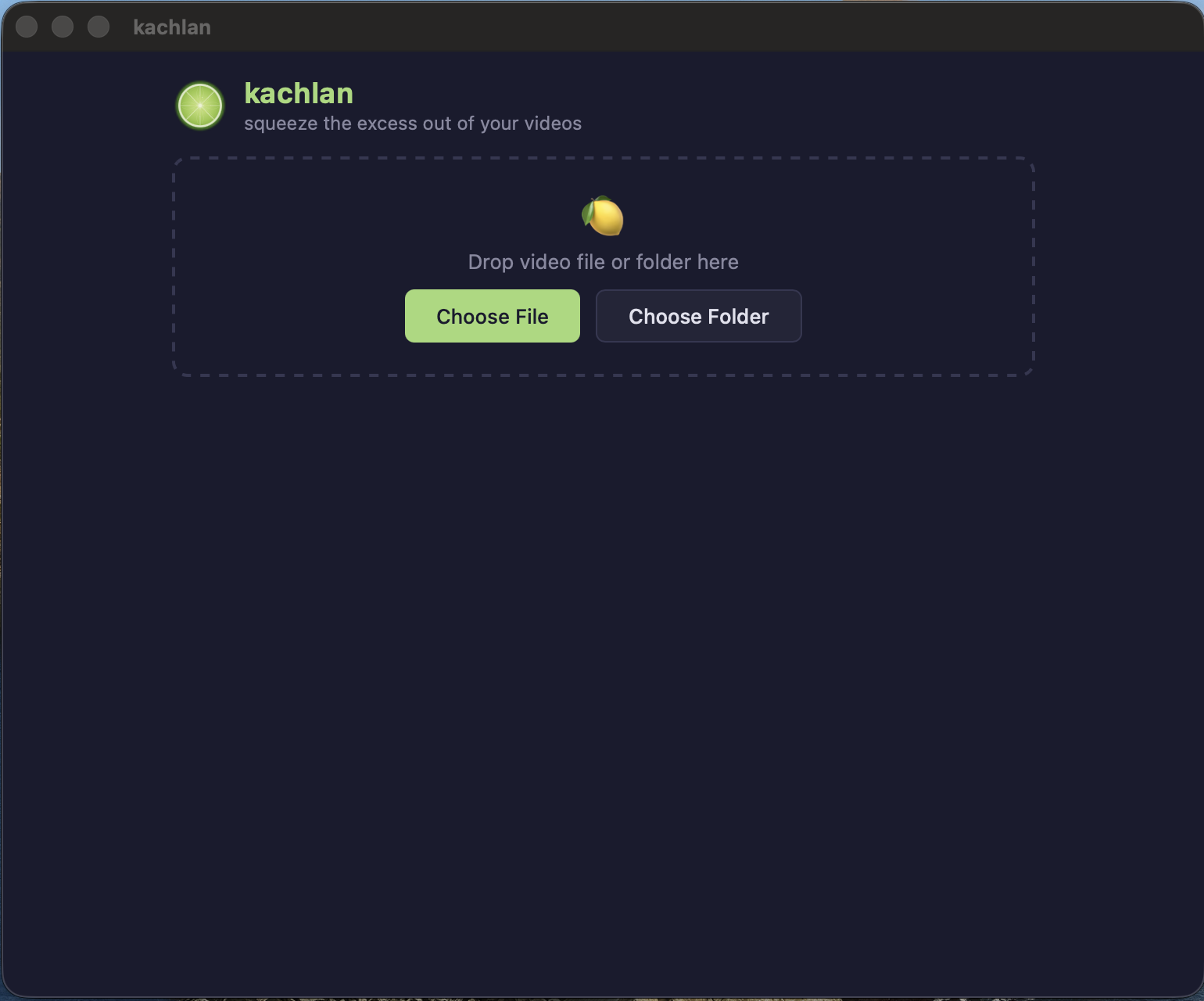
Features:
- 🎯 Drag-and-drop file or folder selection
- 📋 Video list preview before compression
- ⚙️ Quality controls (CRF, speed presets)
- 📁 Custom output path selection
- 📊 Real-time progress tracking
- ✨ Bundled ffmpeg - no manual setup required
| Windows (x64) ✨ Includes ffmpeg |
macOS (Universal) ✨ Includes ffmpeg |
Linux (x64) ✨ Includes ffmpeg |
Windows Installation:
- Download and extract the ZIP file
- Run
kachlan.exe
✨ Includes ffmpeg - ffmpeg.exe and ffprobe.exe are bundled in the ZIP. No separate installation needed!
Linux Installation:
Install from the Snap Store (recommended - no warnings, auto-updates):
sudo snap install kachlan
Or download the .deb file and install manually:
sudo apt install ./kachlan-gui_linux_amd64.deb
Or double-click the .deb file to install via Software Center.
⚠️ Ubuntu Software may show “potentially unsafe” warning for the .deb because it’s not from Ubuntu’s official repositories. This is expected for third-party packages. The app is open-source (MIT licensed) and safe to install - or just use the Snap Store install above to avoid the warning entirely.
macOS Installation:
⚠️ macOS Gatekeeper Warning: This app is not notarized by Apple. You’ll need to bypass Gatekeeper.
Step 1: Download and Install
- Download the DMG file
- Open the DMG
- Drag kachlan to Applications folder
Step 2: Bypass Gatekeeper (Required)
macOS will show “Apple could not verify ‘kachlan’ is free of malware” when you first open it.
Method 1: System Settings (Easiest)
- Try to open kachlan from Applications
- Click “Done” on the warning dialog
- Open System Settings → Privacy & Security
- Scroll down to the Security section
- Click “Open Anyway” next to the kachlan message
- Click “Open” in the confirmation dialog
Method 2: Right-Click (Alternative)
- Right-click kachlan in Applications
- Select “Open”
- Click “Open” in the dialog
Method 3: Terminal (Advanced)
sudo spctl --add /Applications/kachlan.app
sudo xattr -rd com.apple.quarantine /Applications/kachlan.app
If app doesn’t appear in Launchpad:
killall Dock
ℹ️ This is normal for open-source apps without an Apple Developer certificate. The source code is public and safe to review.
Having trouble? Check the Troubleshooting Guide
Command Line (CLI)
WindowsExtract the zip, double-click |
macOS
or Apple Silicon | Intel |
LinuxInstall: |
All releases and architectures
Other install methods
# Go install
go install github.com/kmtusher97/kachlan/cli@latest

# From source
git clone https://github.com/kmtusher97/kachlan.git
cd kachlan/cli
make install
Usage
Compress a single video
kachlan video.mp4
# → video-compressed.mp4
Compress with custom output
kachlan video.mp4 -o output.mp4
Compress all videos in a folder
kachlan ./my-videos/
# → ./my-videos-compressed/  (same structure, all videos compressed)
Compress folder with parallel workers
kachlan ./my-videos/ -w 4
Adjust quality
# Higher quality (lower CRF = bigger file)
kachlan video.mp4 --crf 23

# Lower quality (higher CRF = smaller file)
kachlan video.mp4 --crf 32

# Slower encoding for better compression
kachlan video.mp4 --preset slow
Options
| Flag | Default | Description |
|---|---|---|
--crf |
28 |
Quality level (0-51, lower = better quality) |
--preset |
fast |
Encoding speed (ultrafast to veryslow) |
-o, --output |
auto | Output file or folder path |
-w, --workers |
1 |
Parallel compressions (folder mode) |
Supported formats
.mp4 .avi .mov .mkv .wmv .flv .webm .m4v .mpg .mpeg .3gp .ts
How it works
kachlan wraps ffmpeg with sensible defaults:
- Video codec: H.264 (libx264)
- Audio codec: AAC
- CRF: 28 (good balance of quality and size)
- Preset: fast
When compressing a folder, kachlan mirrors the directory structure into a new <folder>-compressed directory, preserving the original files untouched.